still working on this · apr 2025 - present
Today
Today is the iPhone app I use for quick morning weight, gym logging, and the day's coach plan. It stays useful offline, remembers my last sets, and feeds the right level of detail into the rest of my fitness system.
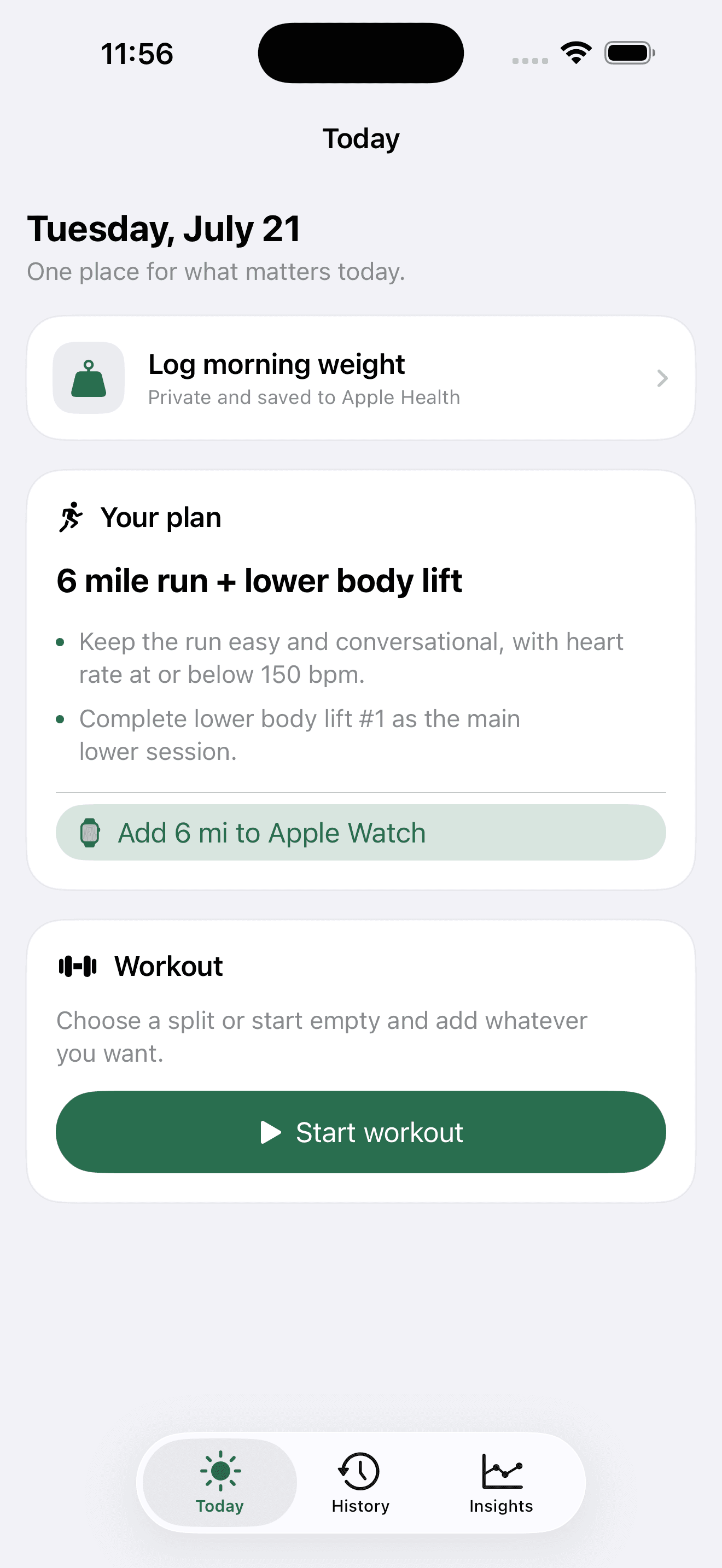
Apple Health had plenty of numbers, but it did not solve the parts I kept avoiding. I wanted morning weight to take seconds, the day's plan to be waiting at the gym, and working sets to start with what I did last time.
Today is the iPhone app I built around that routine. The front screen shows the current coaching plan, a quick morning weight prompt, and one button to start any workout. During a lift it remembers the last weight and reps, lets me adjust either without fighting a form, and keeps the full exercise history for later.
one fitness system, three clear jobs
The phone owns capture. My private Marathon Prep Bot owns coaching and analysis. The public fitness page owns the smaller story I actually want to share.
When I save a weight or finish a lift, Today saves locally first. It then seals the full snapshot with AES-256-GCM and sends it through a token-protected endpoint. The website never receives the decryption key. The coach pulls and opens the snapshot, joins it with Apple Watch data from HealthFit, and uses the result when it writes the next week.
The public half is deliberately smaller: workout split, time, working sets, and broad muscles trained. Body weight, weight trends, exercise loads, and reps stay inside the encrypted snapshot shared with the private coach. The website does not receive the decryption key or publish a weight card.
what becomes live on the site
Finishing a lift creates two views of the same work. The coach can decrypt the exercise-level history, including sets, reps, and loads, so future training context does not depend on memory. The public fitness page receives a much smaller projection and updates its strength section automatically.
That public view shows the latest split, duration, working-set count, main muscles, lift days this week, weekly sets, and the number of sessions logged over 28 days. It is enough to make the dashboard feel alive without publishing my full gym notebook. Body-weight history and trends remain private.
made for the actual gym
Upper and lower templates start with the exercises I usually do. Push, pull, legs, chest, back, and an empty workout are available when I want something different. Each movement understands total load, per-hand load, bodyweight, or added weight. The finish screen shows front and back muscle maps with details such as upper chest, lats, biceps heads, triceps heads, quads, hamstrings, calves, and abs.
The catalog is 255 exercises I mapped by hand to individual muscle heads, rather than an imported list with labels like "arms" that the anatomy view cannot use. It leans toward machines and cables, because that is what I actually train on.
Machines carry a brand, because 140 lb on a Hammer Strength row is not 140 lb on a Life Fitness one. Picking a maker qualifies the exercise, so each machine keeps its own weight history instead of averaging two different movements together. A barbell has no brand, because 45 lb is 45 lb everywhere.
Everything keeps working offline. Protected local storage is the source of truth, the previous good file becomes a recovery backup, and failed uploads wait for the next connection instead of blocking a workout. Pairing credentials live in Keychain, and the app makes the sync state visible instead of pretending the network always works.
a mobility routine that travels with the plan
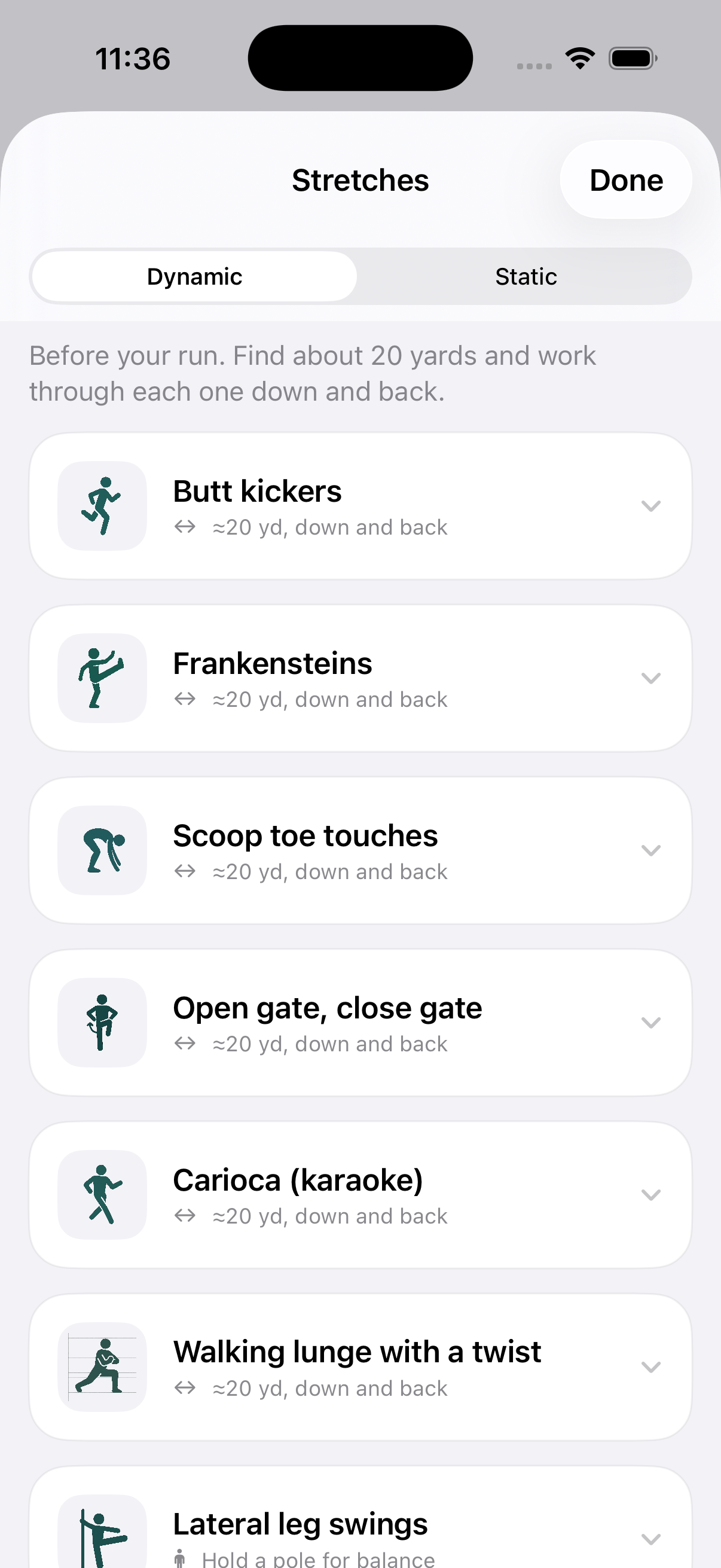
The plan is mostly running, so I added the part I always forget. Today keeps my pre-run dynamic warm-up and post-run static routine as tappable cards, split into those two phases, each with a short cue and a simple illustration. It means the right drills are waiting at the track instead of living in my head.
I also tightened the boundary around the connection itself. Pairing only accepts the production HTTPS endpoint, downloaded payloads have strict size and shape limits, simulator test stores cannot inherit the real coach connection, and the server rejects timestamps that could pin an old or future snapshot as the latest one.
why the Watch stays simple for now
The Apple Watch already records heart rate, duration, and the Strength Training workout that HealthFit exports. Today records the detail that the Watch misses, and I already have my phone in hand between sets. Starting a second workout session from Today would create duplicate ownership without making the gym flow faster.
For running, Today now uses WorkoutKit to send the coach's distance goal into Apple's own Workout app. It validates the date and mileage, uses a stable plan ID so another tap replaces instead of duplicates, and leaves the completed workout in the same HealthKit and HealthFit flow I already trust.
The app also exposes weight, plan, and workout actions through App Shortcuts. They work with Siri, Spotlight, Shortcuts, and an Action Button. If another wrist surface earns its place later, it will be a read-only Smart Stack glance for today's run and lift, not another set logger.
where it started
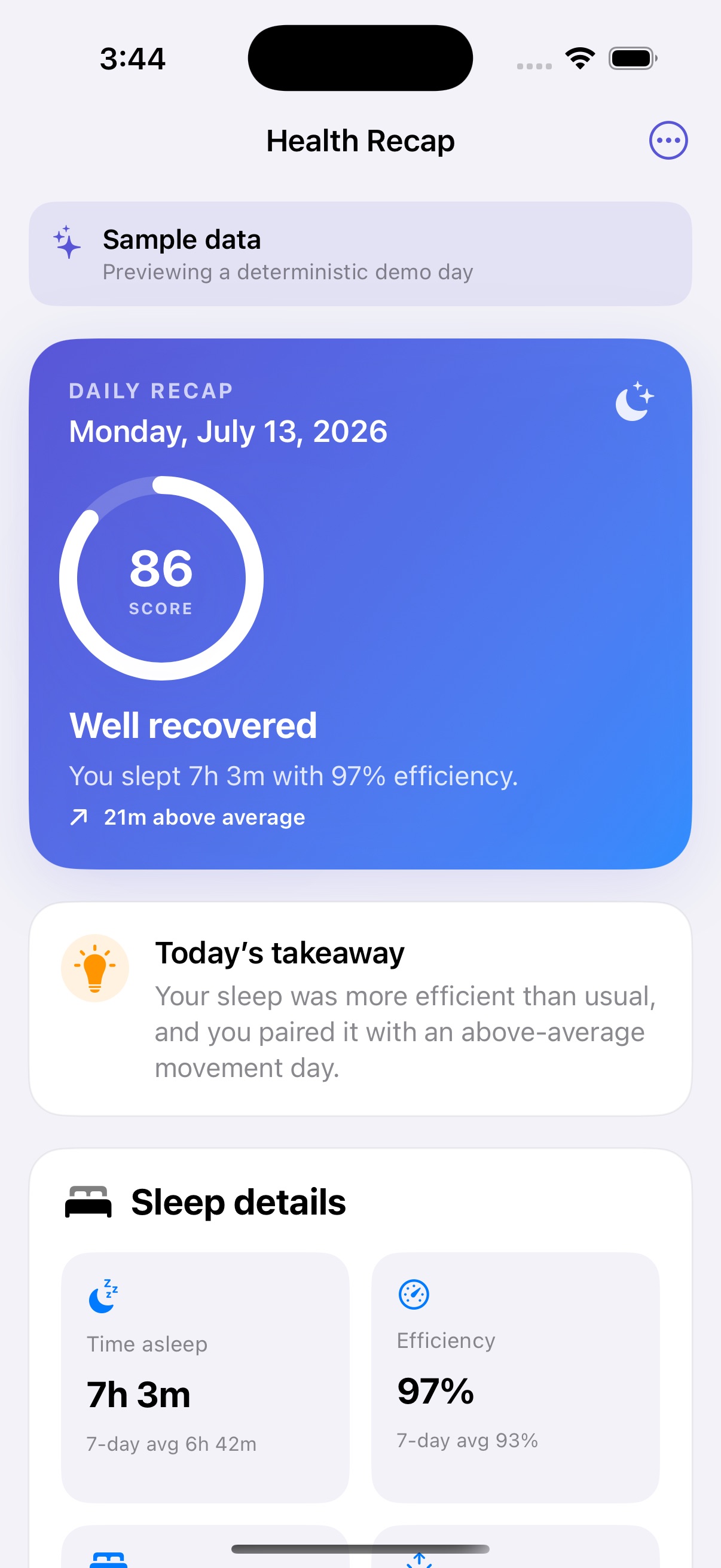
Health Recap reads sleep, steps, walking distance, and active energy on iPhone. It turns them into one daily score, a plain-language takeaway, and the details behind both. On Simulator it loads the same sample day every time, so anyone can open the app and see how it works without needing my personal Health data.
The interactive browser demo lets anyone switch between three sample days and inspect the score, sleep breakdown, and movement comparisons. It shows what the app looks like and how the sample data moves through it. The original product is still the native SwiftUI app, and only that app can request read-only Apple Health access. The browser demo never connects to HealthKit or uploads health data.
the part that needed more care
Health data gets messy around the edges. Sleep stages can overlap, the clock wraps at midnight, and an average stops being useful if today's value is quietly included in its own baseline. The rebuild handles those cases directly:
- overlapping sleep-stage intervals are merged before duration is calculated
- bedtime and wake-time averages use circular clock math across midnight
- movement compares the recap day with the seven days before it
- sleep efficiency is kept inside a valid range
- stable metric identities keep SwiftUI updates predictable
making the app feel finished
I split the original recap screen into focused SwiftUI components and gave the whole flow a proper loading state, sample-data state, error recovery, pull to refresh, Dynamic Type support, and clear accessibility labels. HealthKit and notification code now sit behind small protocols, which makes the real data path easier to test without tying the interface to a physical phone.
Notification permission is also an explicit choice now. Loading the recap does not trigger a surprise system prompt. If reminders are enabled, the app can schedule a recap after it sees a completed sleep session. Background HealthKit delivery is not built yet, so those reminders are best-effort rather than a guaranteed alarm.
That original recap now lives inside Today's Insights tab. The native suite uses unit tests across weight logging, workout persistence, muscle scoring, the guided stretch routine, recovery math, HealthKit boundaries, sync isolation, and endpoint validation, plus XCUITest flows that drive the real screens. One of those flows is a screenshot walkthrough rather than an assertion suite. It exists because compiling and passing tests is not the same as looking: the first run of it caught a workout template that ignored the machine brand I had already picked, and an empty accent colour that left system menus rendering iOS blue in an otherwise green app. Real HealthKit queries still need a signed iPhone, but the rest of the app can be reviewed in Simulator.
a pass over the screens I use most
Screens earn their place by how they read mid-set, not by how they look in a screenshot. Today now puts a live session at the top, so resuming is the first thing you see instead of something below the plan. History groups sessions by month and each row says what it actually trained, which turns "when did I last do legs" into a question the list can answer. The logger drops its setup chrome once the first set is in. And an unset weight shows a grey placeholder rather than a literal 0 lb, because a first exposure is not an empty machine.
That last one was small and awkward. Binding a text field straight to a number means a half-typed "12." round-trips back to "12" and the decimal point vanishes as you type it, on the control that gets touched dozens of times a session. The fix keeps a local text buffer and only rewrites it when the value changes from outside, such as a plus or minus tap. I pulled the formatting and parsing out of the view so the typing behaviour could be unit tested, because it is exactly the kind of thing a screenshot cannot check.
checking my own citations
Today ships an evidence guide where every training claim carries a confidence level, a note on how the app uses it, and an explicit statement of its limits. That page is only worth having if the work behind it is real, so I verified all twelve sources against Crossref and PubMed instead of trusting the reference list I had assembled.
Every source resolves to a real paper and every link points at the right one. Three still needed fixing. A creatine meta-analysis was cited for "strength and lean-mass outcomes" when it measured strength only, and its significant gains came from a sample that was almost entirely male. A sleep review was described as a meta-analysis on physical performance when it is a systematic review on muscle strength. Three sources named a journal but no author. An in-app summary also advertised 4 to 12 rep targets while the prescriptions it summarised span 5 to 20.
Being wrong about what a paper measured is a quieter failure than a broken link, and only reading the abstracts catches it.
what I would add next
The next useful Watch surface is a small read-only Smart Stack view of today's run or lift. It should help with a quick wrist glance, not recreate the phone workout log.
Farther out, I want to try a rough food estimator that is much lighter than a full calorie-tracking app. I should be able to describe a meal in a few words, adjust a calorie and protein estimate, and see a simple daily range next to the longer weight trend. The point is basic awareness with almost no friction. It stays private by default, and it does not belong in the coach until the estimates are dependable.